
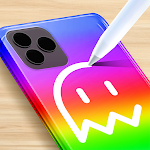
Phone Case DIY
◀
▶


Country
US
Release Date
2020-09-26 00:00:00
Price
Free
File Size
Varies with device
Game Overview
Phone Case DIY is a creative simulation game that allows players to design and customize their own phone cases using a wide range of tools, colors, and decorative elements. Instead of following a fixed objective, the game focuses on artistic freedom, letting players experiment with different styles and trends to create unique designs.Popular among users searching for relaxing games, DIY simulators, and fashion design experiences, Phone Case DIY combines satisfying visuals with simple, interactive gameplay. Each session offers a hands-on creative process that is both engaging and stress-free.
What Makes Phone Case DIY Stand Out
Creative Customization
Players can choose from various paints, stickers, textures, and accessories to design fully personalized phone cases. The possibilities encourage creativity and self-expression.
Relaxing and Satisfying Gameplay
Smooth interactions, vibrant colors, and step-by-step design mechanics create a calming experience ideal for casual play sessions.
Trend-Based Designs
The game often reflects popular design trends, allowing players to experiment with styles that resemble real-world aesthetics and social media inspirations.
Progression and Unlockables
Completing designs and satisfying client requests unlocks new tools, patterns, and premium decorative items, adding long-term engagement.
Broad Appeal for Casual Gamers
Easy-to-learn controls make it accessible for all ages, while the depth of customization keeps players coming back for more.
Overall Impression
Phone Case DIY stands out as a relaxing and highly creative simulation game. Its focus on customization, visual satisfaction, and accessible gameplay makes it a strong choice for players interested in DIY design, casual mobile games, and artistic expression.
Quick Start Guide
Step 1: Launch the GameOpen the game and select a phone case model to begin your design session.
Step 2: Prepare the Base
Clean or apply a base coat to the phone case. This sets the foundation for your design.
Step 3: Apply Colors and Paint
Choose from a variety of colors and painting tools to create your desired background or patterns.
Step 4: Add Decorations
Use stickers, charms, and other accessories to enhance your design and make it unique.
Step 5: Follow Client Requests (if available)
Some levels include specific design goals. Try to match these requirements to earn higher rewards.
Step 6: Complete and Review Your Design
Finish the case and view the final result. High-quality designs may earn better ratings or in-game currency.
Step 7: Unlock New Items and Experiment
Use earned rewards to unlock additional tools and decorations, and continue experimenting with new creative styles.
Recommended Games

Grand Theft Auto: San Andreas
4.3

Hole.io
3.2

Clash Royale
4.5

Five Nights at Freddy's
4.7

Fortnite
3.8

Avatar World ®
4.7

Garten of Banban 2
4.0

Geometry Dash Lite
4.4

Poppy Playtime Chapter 2
4.0

School Party Craft
4.5

Toca Boca World x Hello Kitty
4.3

Geometry Dash
4.8

Minecraft: Dream it, Build it!
4.4

Magic Tiles 3™ - Piano Game
4.6

Cat From Hell - Cat Simulator
4.3

Build A Queen
4.3

Spider Fighter 3: Action Game
4.6

Poppy Playtime Chapter 1
4.4

Dude Theft Wars FPS Open world
4.3

Gangster City: Mafia Crime
3.4