

Melon Sandbox
◀
▶





Country
US
Release Date
2022-12-23 00:00:00
Price
Free
File Size
Varies with device
Game Overview
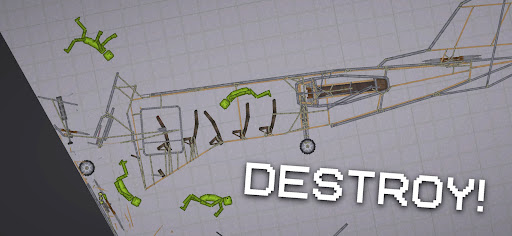
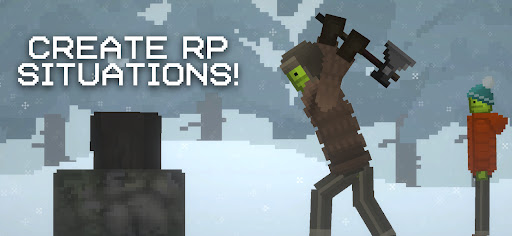
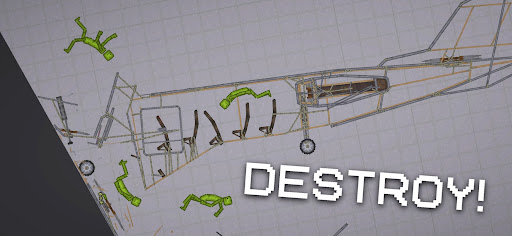
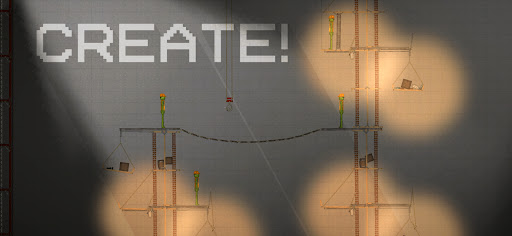
Melon Sandbox is a physics-based sandbox simulation game that gives players complete freedom to experiment, build, and interact with a wide range of objects and characters. Rather than following a structured storyline, the game focuses on open-ended creativity, allowing users to create scenarios, test mechanics, and explore cause-and-effect interactions in a dynamic environment.Popular among players searching for sandbox games, physics simulators, and creative building experiences, Melon Sandbox delivers a highly flexible gameplay loop where imagination drives the action. Whether you want to construct, destroy, or experiment, the game provides the tools to do so.
What Makes Melon Sandbox Stand Out
Open-Ended Gameplay
There are no fixed objectives, giving players full control to create their own scenarios and experiment freely without restrictions.
Realistic Physics System
The game features detailed physics interactions, making every action—from movement to destruction—feel dynamic and responsive.
Wide Range of Tools and Items
Players can access various objects, weapons, and utilities to build, modify, or test different setups, increasing replayability.
Creative Freedom
From simple experiments to complex structures, the game encourages players to think creatively and explore endless possibilities.
Appeal to Sandbox Enthusiasts
Ideal for users who enjoy games focused on experimentation, simulation, and user-driven content rather than linear progression.
Overall Impression
Melon Sandbox stands out as a flexible and highly creative sandbox experience. Its emphasis on physics, experimentation, and player freedom makes it especially appealing for those interested in simulation games, building mechanics, and open-ended gameplay.
Quick Start Guide
Step 1: Launch the GameOpen Melon Sandbox and select a map or environment to begin your session.
Step 2: Access the Item Menu
Use the in-game menu to browse and select objects, characters, or tools you want to place in the world.
Step 3: Place Objects in the Environment
Drag and drop items onto the map. Position them based on your intended setup or experiment.
Step 4: Interact with Objects
Use controls to move, rotate, or activate items. Test how different elements respond to each other.
Step 5: Experiment with Physics
Combine objects, apply force, or simulate different scenarios to observe realistic physics outcomes.
Step 6: Build or Modify Scenarios
Create your own setups, from simple interactions to complex chain reactions or structures.
Step 7: Reset and Try New Ideas
Clear the environment and experiment again with different combinations to fully explore the game’s possibilities.
Recommended Games

School Party Craft
4.5

Geometry Dash Lite
4.4
Build A Queen
4.3

Clash Royale
4.5

Avatar World ®
4.7

Minecraft: Dream it, Build it!
4.4

Spider Fighter 3: Action Game
4.6

Grand Theft Auto: San Andreas
4.3

Gangster City: Mafia Crime
3.4

Dude Theft Wars FPS Open world
4.3

Poppy Playtime Chapter 2
4.0

Poppy Playtime Chapter 1
4.4

Cat From Hell - Cat Simulator
4.3

Garten of Banban 2
4.0

Geometry Dash
4.8

Fortnite
3.8

Toca Boca World x Hello Kitty
4.3

Five Nights at Freddy's
4.7

Magic Tiles 3™ - Piano Game
4.6
Hole.io
3.2